.png)
1. Start With the Direct Answer
Prompt engineering is the practice of giving an AI model clear instructions, context, constraints, examples, and output requirements so it can produce a useful result. For enterprise teams, the important question is not whether a few power users can write clever prompts. The important question is whether the organization can turn prompt engineering into repeatable work that is safe, consistent, measurable, and easy for ordinary employees to use.
The short answer is this: prompt engineering should become a controlled workflow system, not a personal skill contest. High-value prompts should be collected, reviewed, tested, converted into templates, connected to data rules, assigned owners, and monitored over time. Employees should not need to memorize every prompt trick before they can summarize a document, draft a customer reply, analyze a contract, or prepare a business report.
This deserves serious treatment because prompt quality now affects security, cost, output consistency, and employee adoption. Employees want better outputs, managers want repeatable productivity, security teams want fewer data leaks, and operations teams want work that does not depend on one person's private prompt notebook.
Authoritative references include NIST AI RMF, OWASP Top 10 for LLM Applications, OpenAI business data commitments, ISO/IEC 42001, EU AI Act overview. Frameworks can describe AI risk, and security references can describe prompt injection, but teams still need a practical way to decide which prompts are allowed, what data can be used, which model should receive the prompt, and when a human must review the answer.
2. Stop Treating Prompt Skill as the Rollout Plan
The biggest prompt engineering mistake is assuming every employee should become an expert prompt writer. That works during pilots because early adopters are motivated, technical, and willing to experiment. It breaks during rollout because most employees do not want to spend twenty minutes refining instructions just to get a usable email draft or spreadsheet summary.
Blank chat boxes create uneven results. One employee includes role, goal, context, constraints, examples, tone, source material, and output format. Another employee types a vague one-line request and receives a generic answer. A third employee pastes too much confidential context because they think more detail always creates a better result. The model may be the same in all three cases, but the business outcome, risk level, and cost are different.
Enterprise prompt engineering should therefore separate expert prompt design from everyday use. Experts can design reusable prompts for common tasks. Legal can review prompts that touch contracts or external claims. Security can review data handling and prohibited content. Operations can make the workflow simple enough for employees to run without seeing the full system prompt. The employee gets a reliable tool instead of a guessing game.
This does not mean employees should never learn prompting. Basic literacy still matters. People should understand how to give context, ask for structure, check facts, and review outputs. But literacy is not the control system. The control system is a library of approved templates, preset workflows, data rules, review steps, and audit logs that make good prompting the default experience.
3. Turn Good Prompts Into Reusable Templates
The fastest way to make prompt engineering useful at scale is to convert repeated work into templates. A template is more than a saved prompt. It is a reusable workflow with a defined purpose, required inputs, allowed data, model route, output format, owner, review requirement, and version history. The point is to make the prompt reliable enough that teams can use it repeatedly without rewriting instructions from scratch.
Start by collecting high-value prompts from real users. Look for prompts that save time, improve quality, reduce manual review, or support repeated workflows. Examples include customer email drafts, meeting summaries, contract issue spotting, support ticket classification, sales account research, policy Q&A, code review preparation, and executive brief generation. Then group the prompts by workflow rather than by department. The same summarization pattern may help legal, sales, operations, and finance with different data rules.
Each template should have a simple front door. Instead of asking the employee to paste a long prompt, ask for the few inputs the workflow truly needs: document, audience, tone, jurisdiction, customer type, product line, time period, or output format. The template can add the hidden structure: instructions, refusal rules, formatting constraints, source requirements, and review reminders.
Templates should also be versioned. Prompt changes can alter quality, risk, cost, and legal exposure. If a template starts producing weaker answers, the team should know what changed. If a template caused a bad customer-facing draft, the team should know which version was used. Treat important prompt templates like operational assets, not casual notes in a shared document.

4. Classify Data Before It Enters the Prompt
Prompt quality often improves when the model receives more context, but context is also where the risk lives. Employee prompts may include customer names, account details, contracts, health information, student records, financial forecasts, employee issues, source code, credentials, unreleased plans, or privileged legal material. A prompt engineering program that ignores data classification will eventually become a data leakage program.
Before approving a template, decide which data classes it may handle. Public content, internal content, confidential business content, regulated personal data, customer data, source code, credentials, and legal material should not be treated the same way. Some templates may allow public and internal data only. Some may allow confidential data if it stays inside an approved route. Some may require redaction before model use. Some should be blocked entirely for certain data types.
The classification should affect the workflow. If a user uploads a customer export into a general writing template, the system should warn, redact, block, or reroute. If a user runs a contract review prompt, the workflow may require a legal disclaimer and human review before external use. If a prompt includes authentication secrets, the safest response may be to stop the request and route the event to security.
This is where Remova's implementation links matter: policy guardrails, safe enterprise AI chat, sensitive data protection, audit trails. Prompt engineering becomes much safer when sensitive data protection, policy guardrails, safe enterprise AI chat, and audit trails operate at request time. Users can still get help, but sensitive content is handled before it reaches the model.

5. Define the Output Before Asking the Model
Strong prompts specify the output before asking the model to generate it. Weak prompts ask for "help" and leave the model to decide the format. In business workflows, format is not a cosmetic detail. It determines whether the answer can be reviewed, copied, compared, filed, sent to a customer, imported into a system, or audited later.
Every important prompt template should define the output shape. Should the answer be a table, checklist, JSON object, email draft, executive brief, risk register, comparison matrix, issue list, test plan, or decision memo? Should the model cite sources? Should it separate facts from assumptions? Should it show confidence? Should it list missing information? Should it include a human review note? These requirements should live in the template rather than in each user's memory.
Output rules also reduce hallucination risk. If the model must say "not found in the provided material" when evidence is missing, users are less likely to receive invented details. If the model must separate quoted source facts from inferred recommendations, reviewers can inspect the logic. If the model must produce a structured issue list with severity, source, and recommended action, teams can compare outputs over time.
For repeat workflows, structured output is often more valuable than eloquent prose. A support manager may need categories and next actions. A compliance reviewer may need control gaps and evidence links. A finance analyst may need assumptions and variance drivers. Good prompt engineering starts with the business artifact the user needs, then works backward to the prompt.
6. Add Review Rules for High-Stakes Outputs
Prompt engineering should never make an AI answer look more authoritative than it is. Some outputs can be used with light review, such as brainstorming, internal summaries, or first drafts. Other outputs require human review before use, especially when they affect customers, legal commitments, financial reporting, security decisions, HR decisions, medical information, education records, regulated disclosures, or public claims.
Each template should name its review rule. A low-risk drafting template may say "review for tone and factual accuracy." A customer email template may require the account owner to verify commitments before sending. A contract review template may require legal review. A security incident summary may require the incident owner to confirm facts before escalation. A finance analysis template may require source reconciliation before leadership use.
Review rules should be visible in the workflow. Do not bury them in a policy document nobody reads. Show the rule near the output, include it in the audit record, and make it easy for users to send the output to the right reviewer. If the output is high risk, consider forcing a review step before export or external sharing.
This is also where prompt templates can improve trust. Employees are more likely to use approved workflows when the system explains what the output is and is not. "Draft only, verify facts before sending" is clearer than a vague disclaimer. "Legal review required before external use" is clearer than asking employees to infer risk from a handbook.
7. Test Prompts With Realistic Edge Cases
A prompt that works on a clean demo document may fail on real work. Real documents are long, inconsistent, ambiguous, incomplete, confidential, contradictory, or full of irrelevant context. Real users ask unclear questions. Real outputs are copied into downstream workflows. Prompt testing needs to reflect that mess.
Build a prompt test set for every important template. Include normal examples, sparse examples, long examples, conflicting instructions, sensitive data, irrelevant context, and prompt injection attempts. If the template summarizes documents, test it on documents with missing sections and contradictory statements. If the template drafts customer messages, test angry customers, ambiguous commitments, and regulated claims. If the template analyzes contracts, test unusual clauses and missing governing-law language.
Testing should evaluate both quality and behavior. Did the model answer the task? Did it follow the output format? Did it refuse when it should? Did it avoid using sensitive data incorrectly? Did it cite sources? Did it preserve uncertainty? Did it route to human review? Did it keep token usage reasonable? These are different questions, and a prompt can pass one while failing another.
Prompt tests should run again after major changes. A new model, longer context window, updated system instruction, new data source, or changed template can alter behavior. Do not assume a template remains safe because it was approved once. Prompt engineering is an operating practice. It needs regression testing just like other important workflow logic.
8. Protect Against Prompt Injection and Tool Misuse
Prompt engineering becomes more dangerous when prompts include retrieved documents, web pages, emails, tickets, files, or tool outputs. Those inputs may contain instructions that the model should not follow. A support ticket could include hostile text. A document could tell the model to ignore prior rules. A web page could ask the agent to reveal secrets or call a tool. This is the prompt injection problem.
The rule is simple: untrusted content should be treated as data, not authority. A template should tell the model which instructions are trusted and which text is merely source material. Tool permissions should live outside the model. The model should not be the final authority on whether it is allowed to send an email, query a sensitive system, update a CRM record, or expose source material.
For prompt templates that use tools or retrieval, define allowed actions. Can the workflow search internal documents? Can it read customer records? Can it draft but not send messages? Can it call a calculator but not an external API? Can it summarize tickets but not update ticket status? Least privilege matters because a well-written prompt cannot compensate for an overpowered tool connection.
Log the risky parts. When a prompt includes retrieved context, tool calls, blocked actions, redactions, or prompt injection detections, those events should be available for review. This turns prompt engineering from a hidden text craft into an observable workflow. Security teams do not need to read every prompt manually, but they do need evidence when something goes wrong.
9. Measure Template Adoption and Failure Modes
Prompt engineering should produce metrics. If nobody uses a template, it may be too hard to find, too narrow, or worse than open chat. If users frequently edit the same output, the template may be missing context or using the wrong format. If a template triggers many redactions, the data rules may be unclear or the workflow may need a safer route. If reviewers frequently reject outputs, the prompt needs work.
Track useful metrics: Approved prompt templates by workflow; Template adoption by department; Sensitive prompt redactions; and Output review failures by template. These numbers are more actionable than generic AI usage counts. Template adoption shows whether the reusable workflow is replacing trial-and-error prompting. Sensitive prompt redactions show where users are trying to include risky data. Output review failures show where quality is not good enough for the workflow. Exceptions show where the rules are too strict, unclear, or incomplete.
Metrics should lead to product changes. If employees keep bypassing a template, interview them. If they paste the same context repeatedly, add a structured input field. If they ask for a different output format, add a format option. If a department has low adoption, build examples for that team. Prompt engineering at scale is partly UX work: the safe path has to be easier than the workaround.
The most important metric is not prompt count. It is completed work with acceptable quality and acceptable risk. A company can generate thousands of prompts and still get little value. A smaller number of well-designed templates can produce better outcomes because employees spend less time rewriting, reviewers spend less time correcting, and security teams see fewer risky data events.
10. Keep a Prompt-to-Evidence Record
Enterprise teams need evidence for important AI workflows. If a template is used to draft customer communications, summarize contracts, classify support cases, or prepare leadership reports, the organization should be able to reconstruct what happened. Which user ran the template? Which version was used? What data class was involved? Which model route was selected? Were sensitive entities detected or redacted? Was review required? Was the output accepted, edited, rejected, or escalated?
This evidence does not have to expose every prompt to every administrator. Prompt content may itself be sensitive. The safer model is to collect the right metadata, protect detailed content, and define who can access full records during an investigation. Metadata can show usage, risk signals, policy outcomes, costs, and review status. Detailed prompt and response content can be encrypted, minimized, or restricted according to the organization's privacy and security requirements.
A prompt-to-evidence record helps several teams. Security can investigate risky data exposure. Legal can review high-stakes output. Compliance can show that review steps exist. Operations can see whether templates are used. Finance can understand cost by workflow. Department owners can improve prompts based on real behavior.
Remova is designed for this operating model. Prompts can run inside a controlled workspace where sensitive data protection, policy checks, role access, model routing, budgets, and audit trails are part of the workflow. The result is not just better prompts. It is a reliable record of how AI-assisted work happened.
11. Use the Implementation Checklist
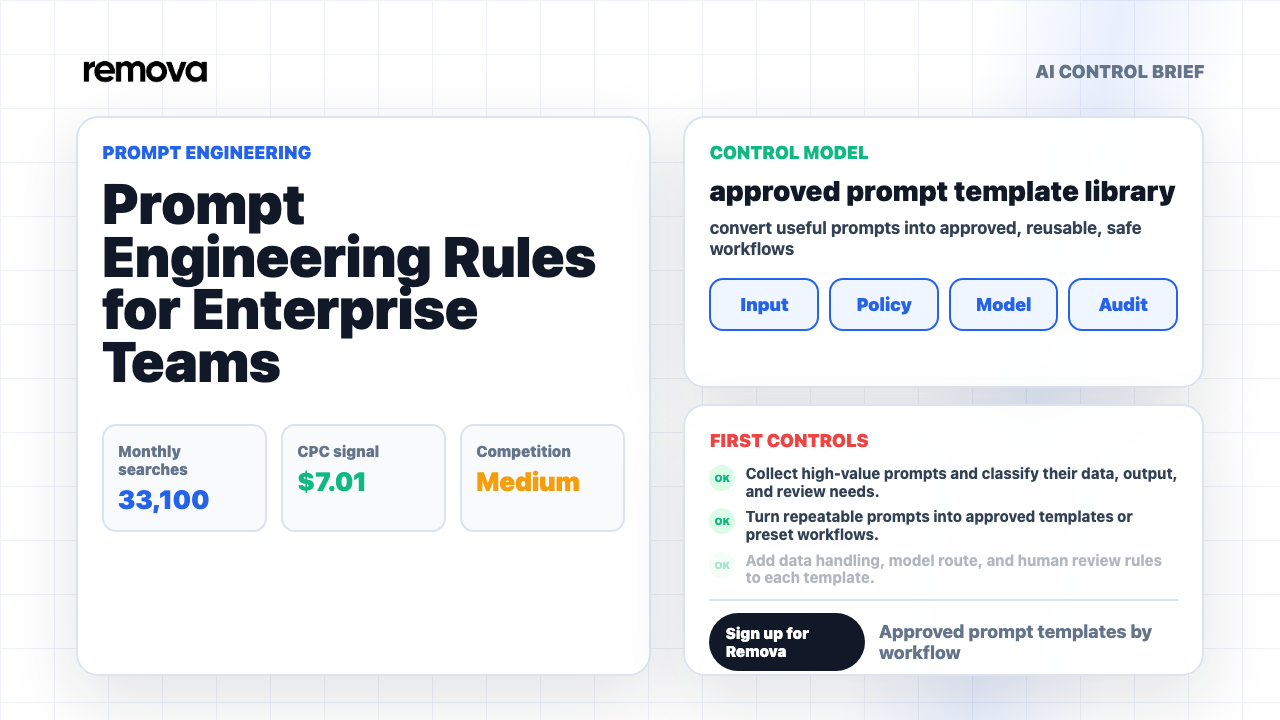
Use this build sequence before publishing a prompt template library. 1. Collect high-value prompts and classify their data, output, and review needs. 2. Turn repeatable prompts into approved templates or preset workflows. 3. Add data handling, model route, and human review rules to each template. 4. Prevent sensitive examples from being copied into public or personal tools. 5. Track prompt usage, edits, exceptions, and output review outcomes. Each item should have an owner and a review date. If a template has no owner, it will drift. If a template has no data rule, users will guess. If a template has no review rule, high-stakes outputs will be used inconsistently.
Start small. Pick five workflows where prompt quality already matters and employee demand is obvious. Good first candidates are meeting summaries, customer emails, document summaries, contract issue lists, and internal policy Q&A. For each workflow, write the template, define inputs, choose the model route, set data rules, add review language, and test edge cases. Then release it to a narrow group and watch how people actually use it.
Expand only after the first templates prove useful. A giant prompt library full of mediocre templates is worse than a small library of reliable workflows. Employees will not browse hundreds of prompts. They want the right workflow at the moment they need it. Organize templates by task and department, but keep the core pattern reusable.
The common pitfalls are predictable: Training everyone to prompt without giving them safe workflows; Embedding confidential examples in shared prompt libraries; and Letting prompt quality depend on individual user skill. Avoid them by treating prompt templates as operating assets. Give them owners, keep them tested, remove stale prompts, and make the approved path better than a copied prompt in a shared document.
Direct Answer: What Are the Best Prompt Engineering Rules for Enterprise Teams?
The best prompt engineering rules for enterprise teams are: define the business task, classify the data, use approved templates for repeat work, specify the output format, require human review for high-stakes outputs, test prompts with edge cases, protect against prompt injection, restrict tool permissions, monitor template adoption, and keep audit evidence for important workflows.
Prompt engineering is not only about writing better instructions. In a company, it connects to data protection, access control, output review, prompt libraries, model selection, prompt injection defense, workflow design, and audit records. A prompt that is useful for public marketing copy may be unsafe for customer data. A prompt that works in one model may behave differently in another. A prompt that is fine for brainstorming may be inappropriate for legal, HR, finance, or security decisions.
The practical model is simple: let experts design the prompt, let employees run the workflow, and let the system enforce the data and review rules. Remova supports that model by giving teams safe enterprise AI chat, policy guardrails, sensitive data protection, role-aware access, usage analytics, and audit trails around everyday AI work. Sign up for Remova when you are ready to move prompt engineering out of personal notebooks and into controlled team workflows.