.png)
1. Start With the Direct Answer
Data loss prevention for AI prompts is the practice of detecting and controlling sensitive information before it reaches an AI model, copilot, API, retrieval pipeline, or agent tool. The control point has to sit inside the AI workflow, not only at the email gateway or endpoint. Employees leak data to AI through normal work: pasting customer notes, uploading spreadsheets, summarizing contracts, testing source code, asking copilots to search internal files, or letting agents call tools with sensitive context.
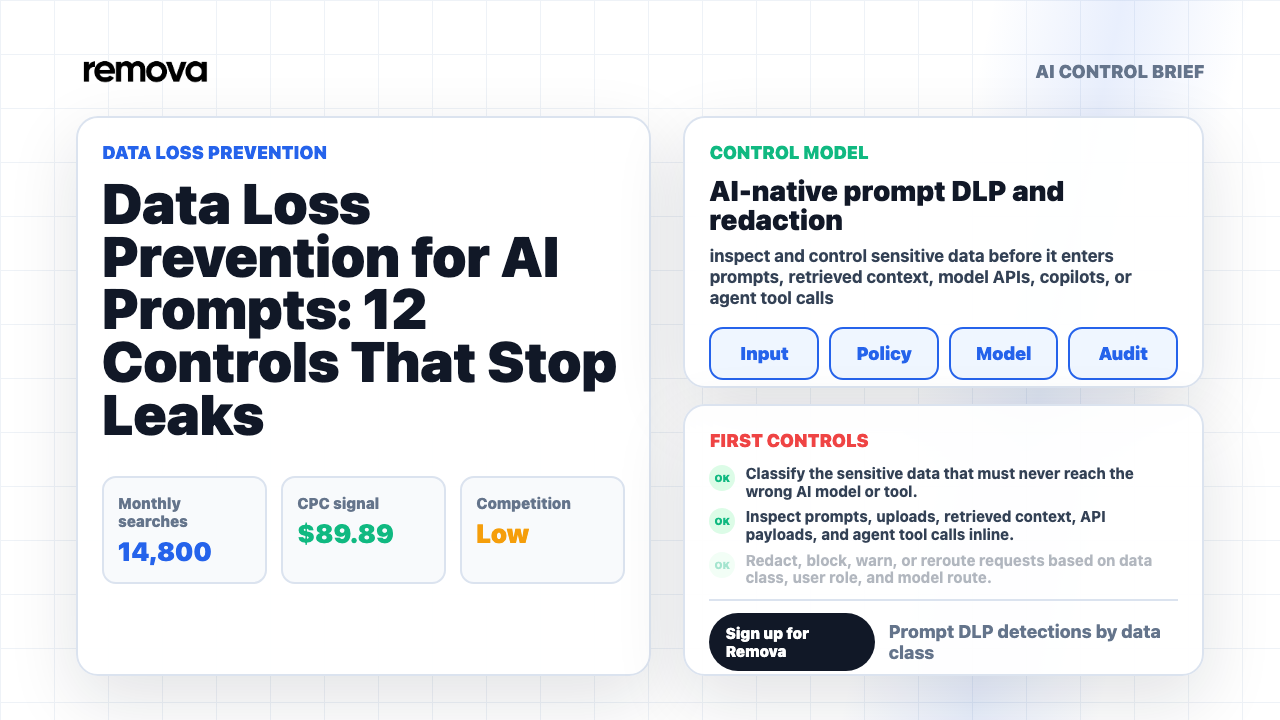
The short answer is this: AI prompt DLP should inspect prompts, uploads, retrieved chunks, API payloads, and tool calls inline; classify the sensitive data; decide whether to allow, warn, redact, block, or reroute; explain the decision to the user; and create an audit record that security teams can investigate later. The aim is not to stop employees from using AI. The aim is to remove the dangerous parts before useful work leaves the company.
The enterprise problem is practical, not definitional. Security leaders already understand DLP. What they need is an operating model for prompts, copilots, model APIs, file uploads, RAG workflows, and agent actions.
Guidance from NIST Cybersecurity Framework, OWASP Top 10 for LLM Applications, OpenAI business data commitments, EU data protection legal framework, NIST AI RMF clarifies protection goals, LLM-specific risks, and provider handling commitments. But the enterprise still needs one question answered on every request: should this exact content go to this exact model or tool for this exact user right now?
2. Map the New Leak Paths
Classic DLP programs were built around channels: email, web upload, endpoint copy, cloud storage, USB, and file transfer. AI changes the channel map. The sensitive object is often not a neat attachment or database export. It is a paragraph in a prompt, a pasted transcript, a chunk retrieved from internal search, a screenshot attached to chat, a JSON payload sent by an internal app, or a tool result handed to an agent.
Start by mapping every place AI can receive company data. Include employee chat, browser-based AI tools, Microsoft 365 Copilot, coding assistants, model APIs, internal AI apps, support copilots, sales assistants, document summarizers, contract review tools, RAG systems, MCP servers, autonomous agents, workflow automations, and vendor features that quietly add AI to existing software. If data can enter the model path, it belongs on the map.
The map should also name the data source. A prompt typed by a user has a different risk shape from a file uploaded by the user. Retrieved context from a knowledge base has a different risk shape from a tool call that reads production data. An agent response that includes customer records has a different risk shape from a brainstorming answer. AI DLP fails when every interaction is treated like the same chat message.
For each path, record five fields: user, source, destination, data class, and action. Who initiated the request? Where did the content come from? Which model, provider, tool, or workflow will receive it? What sensitive categories are present? What should happen when the system detects risk? This creates the practical foundation for everything else.
3. Define AI-Specific Data Classes
A strong AI DLP program starts with data classes that match real prompts. Regulated identifiers still matter: PII, PHI, payment card data, financial account numbers, tax IDs, student records, and government IDs. Secrets matter too: API keys, passwords, tokens, private keys, session cookies, database strings, cloud credentials, and internal service URLs. But AI prompts also carry business-sensitive material that legacy DLP often misses.
The AI-specific taxonomy should include customer records, support tickets, call transcripts, contracts, legal matter details, source code, security logs, incident notes, unreleased financials, board materials, product roadmaps, pricing strategy, acquisition plans, HR records, employee relations details, and privileged communications. These categories may not match a simple regex. They require context, labels, user role, source system, and sometimes semantic detection.
Do not make the taxonomy so complex that nobody can operate it. A useful first version can group data into four tiers: public, internal, confidential, and restricted. Restricted should include data that must not reach unmanaged AI routes: secrets, regulated personal data, privileged legal content, production credentials, sensitive customer records, source code from private repositories, and material nonpublic financial information. Confidential may be allowed through specific enterprise model routes with redaction or logging.
The taxonomy should drive decisions, not just reporting. If the prompt contains an API key, block and notify. If it contains customer names in a support summary, redact or route to an approved model. If it contains contract terms, allow only in a legal workflow with review. If it contains public marketing copy, allow with standard logging. Data classification matters because it changes the action.

4. Inspect Before the Model Call
AI DLP has to run before sensitive content reaches the model. A report after the fact is useful for investigation, but it does not prevent exposure. Inline inspection is the difference between "we know a leak happened" and "we stopped or sanitized the leak before transmission." For prompt workflows, the inspection point should sit between the user or application and the model provider.
Inspection should cover more than the visible prompt box. It should inspect uploaded files, extracted text, spreadsheet cells, PDF content, copied tables, code blocks, screenshots when supported, retrieved chunks, API request bodies, system-provided context, tool outputs, and agent instructions. A user may type a harmless prompt such as "summarize this," while the uploaded file contains thousands of sensitive records. If the DLP engine only reads the user sentence, it misses the event.
Inline inspection also needs destination context. A prompt containing internal project notes may be acceptable for an enterprise route with contractual controls and no training use, but unacceptable for a personal AI account or unmanaged browser extension. A prompt containing regulated data may be acceptable for a private internal model but blocked for an external API. The same text can require different handling based on provider, model route, region, retention, and business workflow.
Remova's relevant controls are sensitive data protection, policy guardrails, audit trails, usage analytics. The useful model is simple: inspect the request, apply the rule, transform or stop the content, then log what happened. When those steps happen before the model call, DLP becomes part of the AI experience instead of an after-action spreadsheet.

5. Pick the Right Action: Allow, Warn, Redact, Block, or Reroute
AI DLP should not have one action for every event. If every sensitive detection is blocked, employees will find a workaround. If every detection is merely logged, the company will learn about incidents after exposure. The right action depends on data class, user role, workflow, destination, and business need.
Allow is right for low-risk content and approved workflows. Warn is useful when the system detects possible sensitivity but the user may have a legitimate reason to continue. Redact is often the best action for prompts that can remain useful without the raw sensitive value. A support summary can replace a customer name with [CUSTOMER_1]. A medical summary can replace identifiers with placeholders. A contract comparison can remove party names while preserving clause structure.
Block is the right action for secrets, credentials, private keys, authentication tokens, high-risk regulated data in unmanaged routes, privileged material outside approved legal workflows, and content that violates a hard restriction. Reroute is the underused action. Instead of saying no, the system can move the request to a safer model route, a protected workspace, a human review path, or a template designed for that data class.
The best programs combine all five actions. A developer pasting an API key should be blocked with guidance to rotate the secret. A salesperson pasting customer notes into a generic assistant may be rerouted to an approved customer-summary workflow. A finance analyst summarizing internal forecasts may be allowed only through an approved model with logging. The action should feel precise, not random.
6. Redact Without Destroying the Work
Redaction is powerful because it preserves productivity. The user still gets the summary, draft, classification, or analysis, but the model does not receive the raw sensitive value. That matters because many AI tasks do not need real identifiers. A model can summarize a support ticket without knowing the customer's real email address. It can explain a contract clause without seeing bank account numbers. It can draft a response without seeing a social security number.
Good redaction is structured. Replace sensitive values with consistent placeholders: [PERSON_1], [CUSTOMER_ID_1], [ACCOUNT_NUMBER_REDACTED], [API_KEY_REDACTED], [CONTRACT_PARTY_1], [PROJECT_CODE_1]. Consistency lets the model reason about relationships without exposing the original value. If a transcript mentions the same person five times, the placeholder should remain stable across the prompt. If the output must be reconnected to real values later, do that inside a protected workflow rather than asking the model to remember secrets.
Redaction should also preserve meaning where safe. If a user asks for regional trend analysis, replacing every city with [LOCATION] may destroy the task. If the model needs to know that a record involves California privacy law, the system may preserve the jurisdiction while removing names and account numbers. Useful redaction balances privacy, security, and task quality.
Measure whether redaction works. If users constantly edit around redactions, the policy may be too broad. If reviewers find sensitive values still reaching outputs, the detection logic is too weak. If redaction makes answers useless, the workflow may need a safer approved route instead of aggressive masking.
7. Block Secrets and Source Code Leaks First
The fastest win for AI prompt DLP is secrets and source code. Employees often paste code into AI tools for debugging, refactoring, explanation, test generation, or security review. That code may contain API keys, tokens, connection strings, internal hostnames, proprietary algorithms, customer logic, license keys, private comments, or unreleased product behavior. A traditional PII-focused DLP policy will miss much of that risk.
Start with hard blocks for credentials and secrets. API keys, OAuth tokens, private keys, passwords, SSH keys, session cookies, and database credentials should not be sent to external models. The user message should explain what was detected and what to do next: remove the secret, rotate it if it may have been exposed, and use an approved code workflow that strips secrets automatically. A vague "request denied" message is not enough for an engineer who is trying to solve a real problem.
Source code needs more nuance. Not every code snippet has the same sensitivity. Public examples, open-source code, and synthetic snippets may be acceptable. Private repositories, proprietary algorithms, production logs, and customer-specific implementation details deserve stronger handling. Use repository source, file labels, user role, destination, and content signals to decide whether to allow, redact, block, or route to an approved coding assistant.
Security teams should review repeat patterns. If one team repeatedly triggers source-code blocks, the answer may not be more scolding. They may need an approved model route for code review, a local model option, a sanitized debugging template, or documentation that shows how to get help without pasting secrets.
8. Cover Chat, Files, APIs, RAG, and Agents
AI DLP fails when it protects only one interface. Employees may start in chat, but production usage spreads quickly. A developer calls a model API. A department uploads PDFs to a document assistant. A support team connects tickets to a summarizer. A sales tool enriches CRM records. A RAG app retrieves internal documents. An agent reads a tool output and decides what to do next. Each path can move sensitive data.
Chat controls are necessary because employee copy-paste behavior creates immediate risk. File controls are necessary because a single upload can contain more sensitive data than a prompt. API controls are necessary because internal applications can send high-volume payloads without a human noticing each request. RAG controls are necessary because retrieved context may include data the user did not explicitly paste. Agent controls are necessary because tools can expose data, write records, or call external services.
For each interface, define the inspection point. In chat, inspect the prompt and attachments. In APIs, inspect request payloads before the provider call. In RAG, inspect retrieved chunks and source permissions before adding them to context. In agents, inspect tool inputs and outputs before the model sees them or acts on them. In copilots, inspect the data surface the copilot can reach and the outputs it generates for the user.
The rule is practical: if sensitive content can cross the model boundary, there must be a DLP decision before it crosses. Anything less creates a bypass path.
9. Use Role, Destination, and Workflow Context
AI prompt DLP should not treat every user and destination the same. The legal team may be allowed to analyze contracts in an approved legal workspace. A salesperson may be allowed to summarize customer notes but not export raw customer records into an unmanaged assistant. Engineering may be allowed to use a coding model for sanitized snippets but blocked from sending secrets or proprietary repository files to a personal tool. Context is what keeps DLP precise.
Role context answers who is acting. Department, job function, training status, clearance, group membership, and workspace ownership can all shape the action. Destination context answers where the data is going. A private enterprise model route with strict retention terms is not the same as a consumer account. A regional model route may matter for privacy commitments. A tool-using agent with external write access is higher risk than a read-only summarizer.
Workflow context answers why the request exists. The same customer data may be acceptable inside an approved support workflow and unacceptable inside a generic brainstorming chat. The same contract text may be acceptable for internal issue spotting and unacceptable for external drafting without legal review. The same source material may be acceptable for an incident-response workspace and blocked elsewhere.
Do not push this complexity onto employees. The system should use identity, routing, workspace, labels, and policy rules to make the decision. Users should see a clear explanation only when the decision affects their work. Precision reduces both false positives and risky workarounds.
10. Give Feedback That Prevents Workarounds
The user experience matters. A blocked prompt with no explanation teaches employees to try another tool. A warning that sounds legalistic gets ignored. A redaction that silently changes the prompt can reduce trust. AI DLP needs feedback that is specific, short, and useful at the moment of action.
Good feedback names the category, the action, and the safe next step. "We removed customer email addresses before sending this prompt" is better than "DLP event 402." "This request includes an API key. Remove the key and rotate it if it was exposed" is better than "blocked by policy." "Use the approved contract review workflow for this file" is better than "confidential data detected." Feedback should help the user complete the task safely.
Feedback should also distinguish warnings from hard stops. A warning should explain the risk and let authorized users continue when appropriate. A block should be reserved for cases where continuation is not acceptable through that route. A reroute should make the safe path easy: one click to open the approved workflow, one button to request an exception, or one link to the right help page.
Review feedback language with real users. Security teams often write messages that make sense to security teams. Employees need operational language. If the user understands what happened and has a useful alternative, the DLP control becomes a guide instead of a wall.
11. Keep Evidence Without Creating a New Data Risk
DLP evidence is essential, but logs can become sensitive too. A prompt log may contain the exact customer record, contract clause, credential, or HR detail the system is trying to protect. The answer is not to avoid logging. The answer is to log intentionally: store the minimum record needed for security, investigation, trend analysis, and compliance review, then protect detailed content with strong access rules.
Each DLP event should capture user, team, workspace, timestamp, model route, source interface, data class, action taken, policy rule, destination, reviewer, exception status, and outcome. For high-risk events, the organization may need encrypted prompt samples or secure before/after redaction records. For lower-risk events, metadata may be enough. Decide this before incidents happen.
Retention should match risk. Secret detections, regulated data events, repeated bypass attempts, and blocked external routes may need longer retention for investigation. Routine low-risk redactions may need shorter retention or aggregate reporting only. Access to detailed prompt content should be limited, reviewed, and logged. Otherwise the audit system becomes a new sensitive-data repository.
Evidence should answer practical questions. What was detected? Where was it going? Was it blocked, redacted, warned, or rerouted? Did the user continue? Was an exception approved? Is this a repeat pattern? Which teams need a safer workflow? These answers let security improve the system instead of merely counting alerts.
12. Track Metrics and Run the Implementation Checklist
DLP programs improve when they measure behavior, not just alerts. Track useful metrics: Prompt DLP detections by data class; Redacted versus blocked AI requests; Repeat sensitive-data events by team; and Exception age for high-risk workflows. These numbers show where sensitive data is trying to move, which workflows need better design, and whether controls are calibrated correctly. A high redaction count may be good if work continues safely. A high block count may indicate risky behavior, but it may also indicate that employees do not have a safe alternative. Repeat events by team are often more useful than total event volume.
Review metrics in three lanes. The first lane is immediate security response: secrets, regulated data, suspicious repeat attempts, and blocked external routes. The second lane is workflow improvement: prompts that are safe enough to reroute, templates that need better inputs, and teams that keep hitting the same false positive. The third lane is executive reporting: which sensitive data classes are most exposed, which AI interfaces create the most events, whether exceptions are aging, and whether safer routes are replacing risky behavior.
Use metrics to decide what to build next. If sales keeps triggering customer-record redactions, build an approved account-summary workflow. If engineering keeps hitting source-code blocks, create a safe code-review path with secret stripping. If legal keeps requesting exceptions, define a protected contract analysis route. The point of measurement is not to shame users. It is to convert risky demand into safer AI workflows that people will actually use.
Use this implementation sequence before broad rollout: 1. Classify the sensitive data that must never reach the wrong AI model or tool. 2. Inspect prompts, uploads, retrieved context, API payloads, and agent tool calls inline. 3. Redact, block, warn, or reroute requests based on data class, user role, and model route. 4. Give users clear feedback and safe alternatives when DLP changes a request. 5. Log detections, actions, exceptions, repeat patterns, and reviewer decisions. Each item should have an owner, a test case, and an evidence source. Test with real prompt shapes: pasted customer notes, source code with secrets, contract excerpts, spreadsheets, transcripts, retrieved documents, API payloads, and agent tool outputs. A DLP policy that passes a synthetic credit-card test but fails on customer support transcripts is not ready.
The common mistakes are predictable: Using email-era regex rules as the only AI prompt defense; Blocking useful work without offering a safe approved route; and Ignoring uploads, retrieved chunks, API payloads, tool outputs, and agent actions. Avoid them by treating AI DLP as a product experience and a security control at the same time. The safe route must be easier than the workaround. Remova helps by putting sensitive data protection, policy guardrails, role access, and audit trails into the AI workflow itself. Sign up for Remova when you want AI use to keep moving without turning every prompt into an unmanaged data exit.
Direct Answer: What Should Data Loss Prevention for AI Prompts Include?
Data loss prevention for AI prompts should include inline inspection of prompts, uploads, retrieved context, API payloads, and agent tool calls; detection for PII, PHI, payment data, credentials, source code, contracts, customer records, and confidential business data; actions such as allow, warn, redact, block, and reroute; role-aware and destination-aware policy decisions; user feedback; exception handling; and audit evidence for investigations.
The key relationship is simple: traditional DLP protects known data channels, while AI prompt DLP protects the model path. The model path includes chat messages, files, RAG context, API calls, copilots, tools, and agents. Sensitive data can enter any of those paths, so the control must operate before the model or tool receives the content.
A strong first milestone is to protect the highest-risk data classes and highest-adoption AI workflows. Start with secrets, credentials, regulated personal data, customer records, source code, contracts, and financial material. Cover employee chat first, then expand to file uploads, APIs, retrieval systems, and agents. Measure redactions, blocks, repeat events, exceptions, and workflow adoption so the program gets safer and more usable over time.
Before launch, run one realistic end-to-end test for each major AI path. Paste a customer transcript into chat, upload a spreadsheet with personal data, send a code snippet with a fake secret through an API, retrieve a restricted document into RAG context, and let an agent receive a sensitive tool output. The test passes only when the right action fires, the user gets a clear explanation, and the evidence record is complete.